Hey [Name], This month, we’re making it even faster to go from idea to working app. Generate interface elements with AI, pull real-world data straight from the web with Omni’s new Web Tables (perfect for CRM and research apps), and streamline execution with upgraded record details—including visual workflow stages and easier, more flexible layouts. Dive in to build faster, with more context and less busywork.
|
|
|
Get early access to Airtable’s latest AI experiments in AI Labs—test new features and help shape what’s next. To enable, workspace owners go to Account → Workspace settings and toggle on AI Labs.
|
|
|
| AI-generated Interface Elements
|
Skip the setup and let AI do the heavy lifting. Instantly create charts, text blocks, and layouts from a simple prompt—giving you a jumpstart on any new project. |
|
|
| Web Tables turn people and company info from the web into clean Airtable datasets you can use right away—whether it’s tracking startups, powering your CRM, or scouting event venues. Omni does the crawling and cleanup so you can focus on building. |
|
|
| Customize interfaces your way |
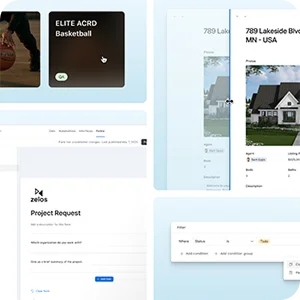
Resize record detail sheets and grid columns, reorder forms with ease, and copy/paste filters across elements. Plus, gallery cards just got new looks—Simple, Minimal, and Rich—so you can style your data your way. |
|
|
| New appearance styles for single select fields
|
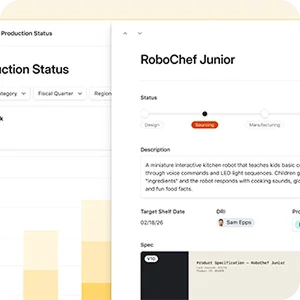
Transform how single select fields display in your Record Detail Pages with two new appearance options: Stepper and List. The Stepper style visualizes sequential workflows. The List style displays all options vertically with radio buttons for easy selection. |
|
|
|